

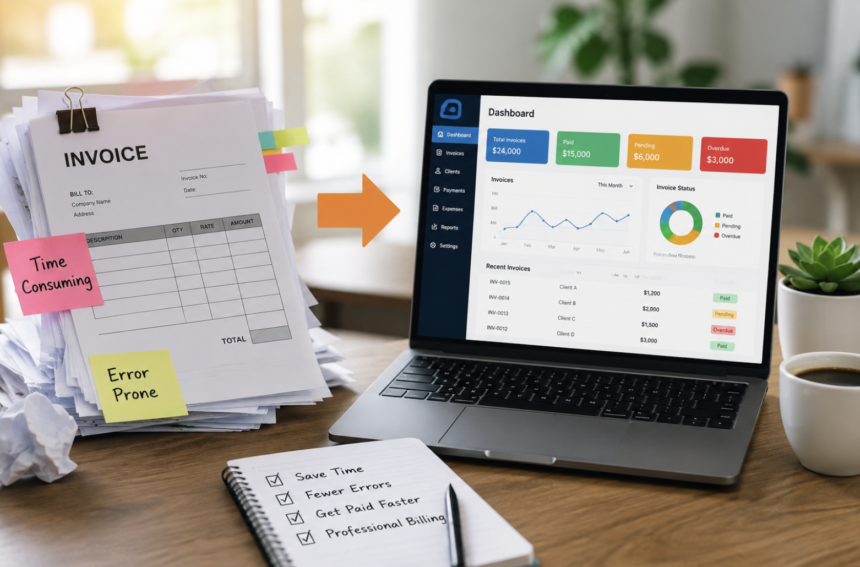
Starting a business often means finding simple ways to save time and money. Therefore, free invoice templates usually become an early favourite. They are easy to download, quick to customise, and useful for sending professional payment requests. However, business growth can quietly turn this helpful tool into a daily burden.
At first, creating invoices manually may take only a few minutes. Yet, managing dozens of clients can quickly create repetitive work. You may copy customer details, calculate taxes, check payment dates, and send reminders repeatedly. Consequently, invoicing can consume valuable hours every week. This is where billing software changes the entire process.
Modern billing tools do more than create attractive invoices. They automate calculations, organise customer information, monitor payments, support recurring billing, and provide useful financial insights. As a result, businesses can reduce administrative work and focus on growth. The important question is not whether free invoice templates are useful. Instead, you should ask when those templates stop supporting your progress.
This guide explains the warning signs, benefits, costs, and practical considerations involved in moving from free invoice templates to billing software.
When Should You Replace Free Invoice Templates with Billing Software?
Free invoice templates work well during the early stages of a business. Nevertheless, they become less effective when invoice volume increases. You should consider upgrading when invoicing becomes repetitive, difficult to track, or vulnerable to mistakes. Additionally, software becomes valuable when clients request faster payment options. The right time usually arrives when manual invoicing costs more time than it saves money.
For example, imagine spending several hours each week creating invoices. Those hours could support sales, customer service, marketing, or product development. Therefore, automation may provide greater value than continuing with free templates. The following signs can help you decide whether your business needs billing software.
1. Manual Invoice Creation Is Taking Too Much Time
Creating a few invoices manually may seem simple. However, repeated editing becomes tiring as your client base grows. You may repeatedly enter customer names, addresses, service descriptions, prices, and payment terms. Moreover, you may need to copy previous invoices and change small details. This process creates unnecessary administrative work. Billing software stores important customer information. Therefore, you can select a client instead of entering every detail again. Many platforms also save products, services, tax rates, and payment terms.
As a result, invoice creation becomes faster and more consistent. Automation also reduces repetitive typing. Consequently, your team can spend more time completing profitable work.
2. You Struggle to Track Paid and Unpaid Invoices
Payment tracking often becomes difficult when businesses use templates. A template only creates the invoice document. It does not automatically show whether the customer paid. Therefore, you may need separate spreadsheets, email folders, or handwritten notes. This system can create confusion. You might forget an overdue invoice. Alternatively, you may contact a customer after they already completed payment. Both situations can affect client relationships. Billing software provides clear payment statuses. For example, invoices may appear as sent, viewed, paid, overdue, or partially paid.
Furthermore, some systems update payment information automatically. Therefore, you can monitor outstanding balances without checking several files. This visibility improves cash flow and reduces payment uncertainty.
3. Invoice Errors Are Becoming More Common
Manual invoicing creates opportunities for small mistakes. You may enter an incorrect price or forget a tax charge. Likewise, you may use a duplicate invoice number or send an outdated document. Although these mistakes seem minor, they can cause delays. Incorrect invoices may require revisions and additional communication. Moreover, repeated errors can make a business appear disorganised.
Billing software reduces these risks through automated calculations. It can calculate totals, taxes, discounts, and balances accurately. The software can also create unique invoice numbers automatically. Therefore, records remain organised and easier to review. Automation cannot prevent every mistake. However, it significantly reduces repetitive calculation errors.
4. Your Business Needs a More Professional Billing Experience
Professional invoices help customers understand what they are paying for. They also support trust and strengthen your brand. Free templates may provide basic designs. However, they can look generic or become distorted after editing. Billing software offers consistent layouts and custom branding options. You can often add your logo, business colours, contact details, and payment instructions. Additionally, professional software keeps every invoice visually consistent.
This consistency matters when your business grows. Clients receive a clear and reliable experience during every transaction. Some platforms also create branded quotes, estimates, receipts, and account statements. Consequently, your entire billing process can follow one professional style.
5. Clients Want Faster Online Payment Options
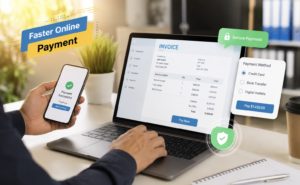
Modern customers expect convenient payment methods. Traditional invoice templates usually require clients to arrange payments manually. Therefore, customers may need to copy bank details or contact your business for instructions. These extra steps can delay payment. Billing software may include secure online payment links. Clients can often pay using cards, bank transfers, or supported digital payment services. Furthermore, payment links make invoices easier to complete from mobile devices.
When paying becomes simple, customers may respond faster. Consequently, your business can improve cash flow and reduce overdue balances. Automatic payment notifications also remove the need for constant checking.
6. You Manage Recurring Services or Monthly Retainers
Recurring work creates repeated invoicing tasks. For example, consultants may charge monthly retainers. Marketing agencies may bill clients every month. Software businesses may also manage subscriptions. Creating the same invoice repeatedly wastes time. Billing software can schedule recurring invoices automatically. It can generate invoices on selected dates and send them without manual preparation.
Some platforms also support automatic payments. However, this feature depends on customer approval and available payment integrations. Recurring billing creates a more predictable process. Therefore, businesses can reduce administrative pressure while maintaining regular revenue.
7. You Need Better Financial Visibility
Free invoice templates provide limited financial information. You can view individual invoices. However, understanding overall performance requires additional calculations. For example, you may want to know your monthly revenue. You may also need to review unpaid balances or compare income across different periods. Billing software can create useful reports automatically. These reports may show total sales, overdue payments, customer balances, payment trends, and expected income.
Consequently, business owners can make informed decisions. Financial insights also support budgeting and future planning. Additionally, organised records can simplify discussions with accountants.
8. Multiple People Now Handle Billing Tasks
Business growth often creates new responsibilities. You may hire an accountant, bookkeeper, administrator, or finance assistant. However, sharing invoice templates through email can create version problems. One person may edit an older file. Another person may create a duplicate invoice. Therefore, important information can become inconsistent. Cloud-based billing software allows authorised users to access current information.
You can also control permissions. For example, one employee may create invoices while another reviews reports. This system improves collaboration and reduces confusion. Moreover, cloud access allows teams to work from different locations.
9. You Need Better Organisation and Document Storage
Invoice files can become difficult to manage over time. You may save documents in different folders or use inconsistent file names. Consequently, finding an old invoice may take longer than expected. Billing software stores invoices in one organised system. You can usually search by customer name, invoice number, date, or payment status. Therefore, locating important records becomes easier.
Many platforms also store estimates, receipts, credit notes, and payment histories. Centralised storage improves efficiency. It also creates a clearer financial record. However, businesses should still maintain suitable backups and follow local record-keeping requirements.
10. Your Business Is Growing Faster Than Your Current Process
Growth creates new opportunities. Nevertheless, it also increases administrative demands. More clients usually mean more invoices, payments, reminders, and financial records. A manual system may work today but become difficult tomorrow. Billing software provides a scalable foundation. You can manage larger invoice volumes without increasing repetitive work at the same rate.
Furthermore, automation helps businesses maintain consistency during expansion. The best time to upgrade is often before invoicing becomes overwhelming. Therefore, planning early can prevent future disruption.
Important Benefits of Switching to Billing Software
- Billing software offers several advantages beyond faster invoice creation.
- First, automation reduces repetitive tasks. The system can save customer details, calculate totals, assign invoice numbers, and schedule recurring invoices.
- Second, payment tracking improves visibility. You can quickly identify overdue invoices and monitor incoming payments.
- Third, professional designs strengthen customer confidence. Branded documents also create a more consistent business image.
- Fourth, online payment features can reduce delays. Convenient payment options may encourage faster responses.
- Fifth, financial reports support smarter decisions. Business owners can review income patterns and outstanding balances more easily.
Finally, cloud access supports teamwork and remote operations. Authorised users can access current information without exchanging multiple files. Together, these benefits can improve productivity and financial control.
How Billing Software Can Improve Cash Flow
Cash flow affects every part of a business. Even profitable companies can experience problems when customers pay late. Therefore, efficient invoicing plays an important role. Billing software can support faster payments in several ways.
- First, invoices can reach customers immediately. There is no need to create a document manually before sending it.
- Second, online payment links reduce customer effort. Therefore, clients can complete payments without requesting additional information.
- Third, automatic reminders encourage timely action. These reminders can be scheduled before or after the due date.
- Fourth, real-time tracking helps businesses respond quickly. You can identify unpaid invoices before they become long-term problems.
As a result, billing software supports a more predictable payment process.
What Should You Look for in Billing Software?
Not every billing platform offers the same features. Therefore, you should compare tools carefully. Start with ease of use. A complicated system may create new problems instead of solving old ones. Next, review automation features. Look for automatic calculations, recurring invoices, payment reminders, and saved customer information. Payment integration also matters. Choose software that supports suitable payment methods for your customers.
Additionally, consider reporting tools. Clear financial reports can provide valuable business insights. Security should remain a priority. Select reputable providers that use secure systems and appropriate data protection measures.
You should also check pricing. Some platforms offer free plans, while others charge monthly fees. Finally, consider future growth. The software should support additional clients, users, and features when needed.
Is Billing Software Worth the Cost?
The value depends on your invoice volume and business needs. A paid platform may appear expensive when you create only a few invoices. However, the calculation changes when manual work consumes several hours each month. Consider the time spent creating invoices, checking payments, sending reminders, and correcting errors. Then, consider the value of that time. If automation saves several working hours, the software may provide a strong return. Additionally, faster payments can improve cash flow.
Some billing platforms offer free plans with limited features. Therefore, businesses can test automation before choosing a paid option. The goal is not to purchase the most expensive software. Instead, choose a solution that matches your current requirements.
How to Move from Invoice Templates to Billing Software
The transition does not need to be difficult. Begin by organising your existing customer information. Check names, contact details, addresses, and payment terms. Next, create a list of products or services. Include standard prices and relevant tax information. Then, import this information into the new platform. Many tools provide guided setup options. Afterward, customise your invoice design. Add your logo, business details, payment instructions, and preferred terms.
Test the system before sending important invoices. Create a sample invoice and review every section. Finally, introduce the software gradually. You may begin with new invoices while keeping older records available. This approach reduces disruption and builds confidence.
Free Invoice Templates vs Billing Software
Free invoice templates remain useful for small businesses with limited billing needs. They offer flexibility and require no subscription. Additionally, users can customise them with common office software. However, templates require manual calculations, tracking, storage, and follow-ups. Billing software provides automation and centralised management. It also supports payment tracking, recurring invoices, reporting, and online payments.
Therefore, the choice depends on complexity. Templates may remain suitable for occasional invoicing. Conversely, growing businesses often benefit from automated billing.
Common Mistakes to Avoid During the Upgrade
Avoid choosing software only because it has many features. Instead, focus on the functions your business will use regularly. Do not ignore customer payment preferences. A platform should support convenient methods for your clients. Additionally, avoid importing inaccurate information. Review customer details before transferring records.
You should also train employees properly. Even simple software requires clear internal processes. Finally, do not cancel your previous system immediately. Keep important historical records available during the transition. Careful preparation creates a smoother upgrade.
Conclusion: Upgrade When Billing Becomes a Barrier
Free invoice templates provide a practical starting point. They are simple, affordable, and useful for businesses with limited billing activity. However, growth changes the situation. Manual invoicing can become slow, repetitive, and difficult to manage. Payment tracking may become confusing, while small mistakes create unnecessary delays. Billing software solves many of these challenges through automation. It helps businesses create professional invoices, track payments, send reminders, manage recurring billing, and review financial performance. Most importantly, it gives valuable time back to business owners.
If invoicing now feels stressful or disorganised, your current process may have reached its limit. Therefore, upgrading could become an important step toward better efficiency and sustainable growth.
The right billing software should simplify your work. It should also support your customers, strengthen financial control, and grow alongside your business.
Frequently Asked Questions
1. Are free invoice templates suitable for new businesses?
Yes, they work well for beginners with a small number of clients.
2. When should I switch to billing software?
Upgrade when manual invoicing becomes repetitive, slow, inaccurate, or difficult to track.
3. Does billing software automatically calculate taxes?
Many platforms calculate taxes automatically after proper configuration.
4. Can billing software send payment reminders?
Yes, many tools send automatic reminders for upcoming or overdue payments.
5. Can clients pay directly through billing software?
Many platforms offer secure online payment options through supported integrations.
6. Is billing software useful for freelancers?
Yes, it helps freelancers create invoices, track payments, and manage client records.
7. Can I add my company logo to invoices?
Yes, most billing platforms provide custom branding features.
8. Does billing software support recurring invoices?
Yes, many platforms automatically generate invoices for regular services.
9. Is cloud-based billing software secure?
Reputable providers use security measures to protect business and customer information.
10. Can several employees access billing software?
Yes, many platforms support multiple users and permission controls.
11. Will billing software improve cash flow?
It can support faster payments through reminders and convenient payment options.
12. Is billing software expensive for small businesses?
Many providers offer affordable plans and limited free versions.