

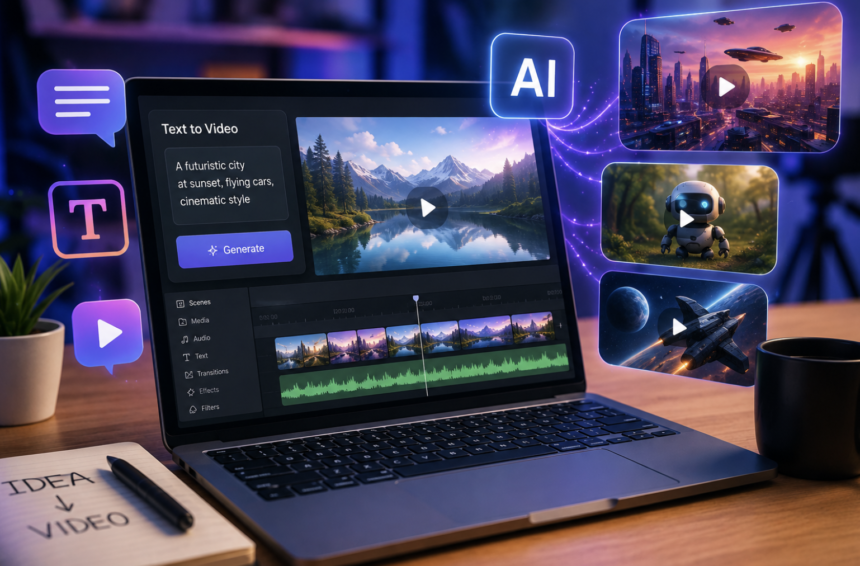
Creating a video once required cameras, actors, locations, editing software, and hours of production. Today, a single sentence can launch an entire visual concept. That shift has made text to video generators powerful tools for creators, marketers, educators, filmmakers, and businesses. These platforms can transform written prompts into animated scenes, product visuals, presentations, advertisements, and social media clips. However, choosing the right AI video generator can feel surprisingly difficult. Every platform handles prompts, characters, motion, audio, editing, and visual consistency differently. Therefore, the best tool depends heavily on your creative goals and production requirements.
Some platforms prioritize cinematic realism, while others focus on avatars, social content, or creative experimentation. Meanwhile, newer systems increasingly combine generation with editing and post-production features.
This guide explores five notable text to video generators in 2026 and explains where each platform can deliver the most value.
What Is a Text to Video Generator?
A text to video generator uses artificial intelligence to create video content from written instructions. Users describe a scene, action, character, environment, or visual style through a text prompt. The AI then interprets those instructions and generates corresponding video frames. Modern systems can understand details such as camera movement, lighting, composition, environment, mood, and subject behavior.
Furthermore, some platforms accept images, sketches, audio, or existing footage alongside text prompts. This creates more flexible workflows for creators who need greater control over their results.
The technology can also support rapid experimentation. Instead of producing one expensive video, creators can generate several concepts within minutes. That advantage makes AI video generation particularly attractive for modern content marketing.
How Text to Video AI Has Changed Content Creation
Traditional video production often requires multiple people and expensive equipment. AI video tools can reduce several of those requirements. For example, a marketer can describe a product advertisement before creating the final campaign. A filmmaker can visualize a scene before shooting it. Similarly, a social creator can test multiple concepts before publishing. AI generation also makes localization easier.
A single campaign can be adapted into different languages, formats, characters, and visual styles. Consequently, smaller teams can produce more content without expanding their production resources. However, AI generation still requires creative direction.
Strong prompts, clear storytelling, careful editing, and human judgment remain important. Therefore, the best results usually come from combining AI automation with human creativity.
1. Pollo AI: A Flexible Multi-Model Video Creation Platform
Pollo AI takes a broad approach to AI video generation. Instead of relying on one generation engine, the platform brings multiple AI video models into one creative environment. This gives users greater flexibility when different projects require different visual characteristics. Users can explore cinematic concepts, realistic scenes, animations, advertisements, and short-form content.
The platform also supports workflows beyond basic text prompts. Creators can refine generated videos and experiment with different visual directions from the same environment. This approach can reduce the need to switch between multiple applications.
Why Pollo AI Stands Out
Pollo AI is particularly useful for creators who value model flexibility. Different AI models can produce different results from similar prompts. Therefore, having several options can help users find a suitable visual style faster. The platform can also benefit marketing teams managing frequent content requirements.
For example, agencies can create social advertisements, promotional clips, product concepts, and entertaining short videos from one workspace.
Its broader creative ecosystem also supports meme-oriented content and other fast-moving formats. Therefore, users who prioritize versatility and production speed may find Pollo AI especially useful.
2. Seedance 2.0: Built Around Consistent Visual Storytelling
Seedance 2.0 focuses strongly on controlled video generation and visual consistency. That focus matters because maintaining character appearance remains a major challenge for AI-generated videos. A character can sometimes change facial features, clothing, proportions, or hairstyle between frames. Such inconsistencies can damage an otherwise strong sequence.
Seedance 2.0 aims to address this challenge through reference-based generation. Creators can use text and visual references to establish stronger creative anchors. This approach can support projects that require recurring characters and structured scenes.
Why Seedance 2.0 Stands Out
Consistency makes the platform attractive for storytelling projects. Animation creators, storyboard artists, and serialized content producers can benefit from more predictable visual continuity. It can also help creators develop scenes involving movement and changing perspectives.
For example, a character can move through an environment while the camera changes position. Maintaining spatial relationships becomes especially important in such sequences.
Additionally, preview-oriented workflows can help users test concepts before investing more rendering resources. That can make experimentation faster and more efficient.
3. HeyGen: A Practical Choice for AI Presenter Videos
HeyGen approaches text to video generation from a different direction. Instead of focusing mainly on cinematic scenes, it emphasizes AI presenters and business communication. Users can provide a script and create videos featuring digital avatars. These avatars can deliver information with synchronized speech, facial expressions, and gestures.
This makes HeyGen particularly useful for organizations. Companies can create onboarding materials, training videos, product explanations, presentations, and internal communications without arranging traditional filming sessions.
Why HeyGen Stands Out
The platform becomes especially valuable when businesses need frequent communication content. For example, a company can update a training video after changing an internal process. Teams can also produce localized versions for different audiences. Multilingual capabilities can further simplify international communication.
Instead of recording every language separately, organizations can adapt the same core message. This can reduce production complexity while improving content scalability.
However, HeyGen serves a different purpose than cinematic video generators. Therefore, it works best for presenter-led communication rather than highly complex visual storytelling.
4. Runway: A Strong Option for Cinematic AI Video
Runway has become closely associated with creative AI video production. Its tools target filmmakers, designers, advertisers, and visual artists seeking sophisticated generated footage. Runway’s text-to-video capabilities can transform descriptive prompts into dynamic scenes.
The platform also supports workflows involving existing footage and visual transformations. That flexibility makes it useful beyond simple prompt-to-video generation.
Why Runway Stands Out
Runway is particularly appealing when visual atmosphere matters. Creators can describe camera perspectives, environments, lighting conditions, movement, and cinematic styles. The resulting workflow can support advertisements, concept films, music visuals, and experimental projects. Its broader creative toolkit is another advantage.
Instead of generating a clip and leaving the platform, creators can combine generation with other AI-assisted visual workflows. That creates a more connected production process.
However, users seeking simple talking-head videos may not need such extensive creative capabilities. Runway makes more sense when visual storytelling sits at the center of the project.
5. Pika 2.0: Fast and Creative Content Experimentation
Pika 2.0 focuses heavily on accessibility and creative experimentation. The platform allows creators to work with different inputs, including text and images. This flexibility makes it suitable for short-form content and imaginative visual concepts.
Pika also emphasizes quick transformations. Creators can experiment with movements, effects, characters, and scene changes without building complicated production pipelines.
Why Pika 2.0 Stands Out
Speed is one of Pika’s biggest attractions. Social media creators often need fresh content quickly. Therefore, a tool that supports rapid experimentation can become extremely useful. Pika can work well for short videos, memes, creative advertisements, and experimental social posts.
Its editing capabilities can also help creators modify individual elements rather than rebuilding every concept. That can save time during the refinement stage. For creators who value experimentation over traditional filmmaking workflows, Pika offers an approachable starting point.
Text to Video Generator Features You Should Compare
Choosing an AI video generator requires more than looking at visual quality.
- Prompt Accuracy: A strong system should understand instructions about subjects, actions, environments, and camera behavior.
- Character Consistency: Consistent characters are essential for storytelling, especially when creating recurring scenes or characters.
- Motion Quality: Natural movement makes AI-generated videos look more realistic and visually convincing.
- Video Resolution and Duration: Check the available resolution and maximum video length based on your project requirements.
- Audio Support: Some platforms offer AI voices, sound effects, background music, or other audio-generation features.
- Editing Options: Built-in editing tools can help you refine generated clips without relying heavily on separate software.
- Commercial Usage Rights: Check whether the platform allows commercial use of generated videos, especially for business or advertising projects.
- Generation Speed: Faster rendering can be valuable when you need to produce multiple videos or test different concepts.
- Aspect Ratio Options: Look for support for formats such as landscape, portrait, and square videos for different platforms.
A generator with built-in editing can make the workflow faster after generation. Finally, consider pricing, generation limits, commercial usage rights, and export options. These details can significantly affect the tool’s value for professional projects.
How to Write Better Prompts for AI Video Generators
Better prompts usually produce more controlled results. Start by describing the main subject clearly. Then explain the environment and the desired action. Afterward, specify camera movement, lighting, mood, and visual style.
For example, instead of writing:
“Create a city video.”
Try a more detailed direction:
“Create a cinematic evening shot of a futuristic city street with pedestrians, glowing storefronts, and slow camera movement.”
Specific prompts provide stronger creative direction. However, avoid adding unnecessary details that conflict with one another. Short, structured prompts can often be easier for AI systems to interpret. You should also experiment with different prompt variations. Small wording changes can produce significantly different results.
Common Uses of Text to Video Generators
AI video generation now supports numerous content formats.
Social Media Content
Creators can quickly produce short clips for TikTok, Instagram, YouTube Shorts, and other platforms.
Advertising and Marketing
Brands can turn campaign concepts into visual advertisements without building every scene traditionally.
Product Demonstrations
Businesses can create product visuals, feature explanations, and promotional sequences.
Education and Training
Teachers and companies can transform written lessons into engaging visual materials.
Storyboarding
Filmmakers can visualize scenes before committing to expensive production.
Concept Development
Creative teams can test visual ideas rapidly during early planning.
Localization
Businesses can adapt presenter-based videos for different languages and markets. These applications show why AI video generation is becoming more than a simple creative experiment.
How to Choose the Best Text to Video Generator
There is no universal winner for every creator.
- Pollo AI: Choose it when you want multiple generation models and broader creative flexibility.
- Seedance 2.0: Choose it when character consistency and structured storytelling are your main priorities.
- HeyGen: Choose it for presenter-led business communication, training videos, and multilingual content.
- Runway: Choose it when cinematic visuals and advanced creative workflows are important.
- Pika 2.0: Choose it when you want fast, accessible, and experimental short-form video creation.
Before committing, test the same prompt across several platforms. Compare motion, consistency, realism, editing options, and overall workflow. That practical test can reveal differences that feature lists cannot show.
The Future of AI Video Generation
Text to video technology is moving toward increasingly complete creative workflows. Future systems will likely connect generation, editing, sound design, voice creation, and post-production more closely. Prompt control should also become more precise. Creators will gain greater influence over characters, camera paths, environments, timing, and visual continuity.
At the same time, AI video tools may become more accessible to smaller businesses and individual creators. However, human creativity will remain important.
AI can generate visuals quickly, but creators still decide what deserves attention. Strong storytelling, originality, brand strategy, and emotional connection cannot depend entirely on automation. The most successful workflows will therefore combine AI speed with human creative judgment.
Conclusion
Text to video generators are changing how modern creators approach video production. They reduce barriers while making rapid experimentation much easier. Pollo AI offers multi-model flexibility, while Seedance 2.0 emphasizes consistency. HeyGen focuses on AI presenters, and Runway targets cinematic creativity. Meanwhile, Pika 2.0 provides an accessible environment for fast experimentation.
Therefore, the best choice depends on your content goals. Before choosing a platform, test several tools with realistic prompts. Consider quality, motion, consistency, editing features, pricing, and commercial requirements.
With the right workflow, AI video generators can turn simple ideas into engaging visual content faster than traditional production methods.
FAQ’s
1. What is a text to video generator?
A text to video generator uses AI to transform written prompts into video content.
2. Which text to video generator is best for beginners?
Pika 2.0 offers an accessible workflow for creators who want to experiment quickly.
3. Which AI video generator is best for cinematic content?
Runway is a strong option for creators seeking cinematic visuals and advanced creative controls.
4. Which platform is best for AI avatar videos?
HeyGen is designed specifically for presenter-led videos using AI avatars and generated voices.
5. Can AI generate videos from simple prompts?
Yes, modern AI video platforms can create visual sequences from relatively simple written descriptions.
6. Are text to video generators useful for businesses?
Yes, businesses can use them for marketing, training, presentations, advertisements, and product content.
7. Can AI video generators create social media content?
Yes, many platforms support fast production of short videos for popular social media formats.
8. Do AI-generated videos require editing?
Editing often improves pacing, consistency, audio quality, branding, and overall presentation.
9. Can text to video AI create realistic videos?
Yes, advanced systems can generate highly realistic scenes with convincing lighting, movement, and environments.
10. Will AI video generators replace traditional filmmakers?
AI will automate some production tasks, but human storytelling and creative direction remain essential.