
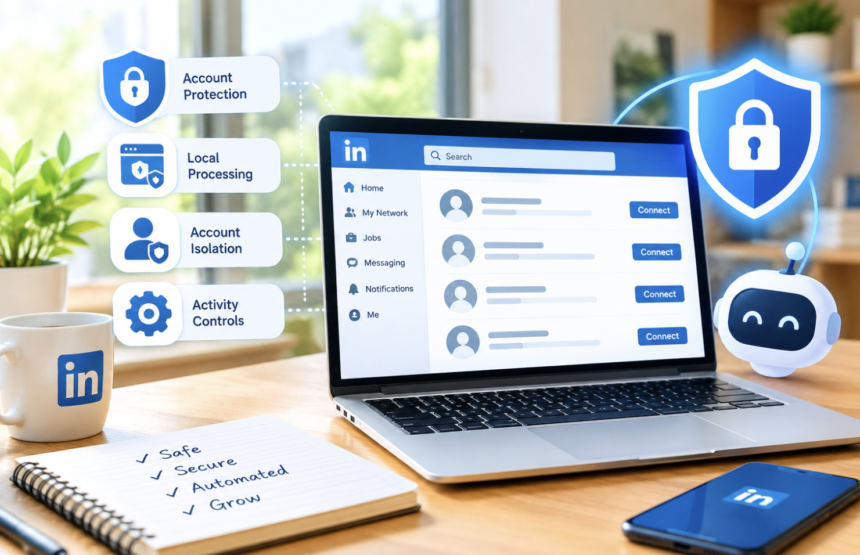
LinkedIn automation can save hours of repetitive networking work. However, convenience should never come at the cost of account security. A poorly designed automation tool can create unusual activity patterns. It can also expose sensitive session data or trigger platform security systems. That is why security should come first when choosing LinkedIn automation software. Linked Helper takes a different approach by combining local processing, browser-based automation, account isolation, and activity controls.
But what actually makes a LinkedIn automation tool safer? The answer involves several technical layers. These include session management, browser fingerprints, user behavior, proxy protection, data handling, and automation limits.
In this guide, we explore the main security features behind Linked Helper. We also examine what users should check before trusting any LinkedIn automation platform.
What Makes a LinkedIn Automation Tool Secure?
Security involves much more than simply avoiding excessive activity. A reliable automation platform should protect account sessions while reducing suspicious behavior. First, users should understand where their LinkedIn session operates. Cloud-based tools may process many accounts through shared infrastructure. Local tools can keep sessions closer to the user’s own environment. Next, the automation method matters. Some platforms interact with LinkedIn through unofficial APIs. Others operate through browser environments that reproduce normal navigation.
Browser fingerprints also deserve attention. A fingerprint contains technical details about a browsing environment. These details can include operating system information, browser properties, graphics settings, and other signals.
Therefore, account isolation becomes important. Each account should ideally maintain its own consistent environment. Shared fingerprints can create unnecessary security concerns.
Why Server-Based LinkedIn Automation Can Create Risks
Many automation services rely heavily on centralized cloud servers. This structure offers convenience because users can access campaigns online. However, centralized systems can introduce additional security concerns. Multiple accounts may operate through the same infrastructure. Authentication information can also become an important security consideration. If session cookies or tokens travel through external servers, users depend heavily on vendor security practices.
Furthermore, shared infrastructure can create recognizable patterns. Numerous accounts may originate from similar IP ranges. They may also display comparable activity patterns.
Consequently, one unusual pattern can potentially affect multiple accounts. This does not mean every cloud solution is unsafe. Instead, users should understand how the provider handles sessions and authentication.
How Client-Based LinkedIn Automation Changes the Security Model
Client-based automation works differently. The software runs directly on the user’s computer instead of relying entirely on remote servers. As a result, LinkedIn activity can remain associated with the user’s regular device environment. The same computer can provide consistent browser characteristics and network behavior. This approach can also reduce centralized session exposure. Authentication information does not necessarily need to remain inside a shared vendor environment.
However, client-based software has practical requirements. The computer must remain available while campaigns operate. Some users therefore consider virtual private servers for continuous operation. Yet, moving automation to a VPS can change the environment completely.
For that reason, users should understand where their sessions actually run. The architecture matters as much as the automation features.
Why Linked Helper Uses a Browser-Based Automation Approach
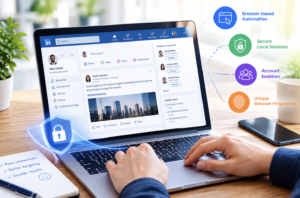
One of Linked Helper’s notable features involves its browser-based architecture. Instead of relying exclusively on background API requests, the software operates through a browser environment. This approach allows automation to interact with pages and interface elements. Actions can therefore resemble ordinary browser navigation more closely.
For example, browser automation can perform activities such as clicking buttons and entering text. It can also navigate between LinkedIn pages during a campaign.
However, no automation approach guarantees complete invisibility. LinkedIn can change its detection systems at any time. Therefore, responsible users should always follow LinkedIn’s rules. Security features should complement sensible activity rather than encourage aggressive automation.
1. Isolated Browser Environments Improve Account Separation
Account isolation is another important part of automation security. Linked Helper uses separate environments for individual accounts. This approach helps prevent different accounts from appearing as identical technical sessions. A dedicated environment can maintain its own browser characteristics. It can also preserve account-specific settings and activity patterns.
This separation becomes especially valuable for users managing multiple LinkedIn accounts. Each account can maintain a more consistent technical identity.
Moreover, isolated environments can reduce the potential impact of problems involving another account. One account’s environment remains separated from other campaigns. That structure provides an additional layer of operational control.
2. Local Session Storage Can Reduce Centralized Exposure
Session information requires careful handling. Cookies and authentication tokens can provide access to an active account session. Linked Helper’s approach keeps the active LinkedIn session on the user’s local machine. Campaign settings and reporting information can still synchronize with cloud infrastructure.
This creates a hybrid architecture. Users receive cloud-based convenience without necessarily placing active sessions inside a shared server environment. The distinction matters because centralized session storage can create a larger target. A compromised server could potentially expose information belonging to many accounts.
Local session handling can reduce that particular risk. Still, users must protect their own computers from malware and unauthorized access. Strong device security therefore remains essential.
3. Browser Fingerprints Can Remain Account-Specific
Browser fingerprinting provides another important security consideration. Websites can examine technical characteristics from a browser environment. These characteristics can help identify whether different sessions appear connected.
Linked Helper uses account-specific browser environments. The setup can include technical characteristics involving the operating system, graphics environment, and browser behavior. Consequently, different accounts do not need to rely on one identical technical profile.
Consistency is particularly important. Frequently changing technical characteristics can sometimes look less natural than maintaining a stable environment. Therefore, account isolation and fingerprint consistency should work together.
How Human-Like Activity Patterns Support Safer Automation
Automation becomes easier to identify when every action happens at exactly the same speed. Real people rarely behave with perfect consistency. Human browsing includes pauses, different typing speeds, scrolling, and varied navigation times. Effective automation can account for these differences. Linked Helper incorporates variations into automated activity. Mouse movements and typing patterns can vary rather than following one rigid sequence.
Activity volumes can also change between different periods. This creates more variation than sending exactly the same number of actions every day.
Nevertheless, human-like behavior should not become an excuse for excessive activity. Users still need reasonable campaign limits. The goal should be controlled automation rather than maximum automation.
How Activity Limits Help Protect LinkedIn Accounts
Automation safety also depends on campaign volume. Sending too many connection requests or messages can create problems regardless of the software used. Therefore, sensible limits remain essential.
Users should gradually increase activity instead of launching large campaigns immediately. Established accounts may also require different approaches from newer accounts. Campaigns should include appropriate pauses. They should also avoid unnecessary repetitive actions.
Furthermore, users should monitor acceptance rates and responses. Poor engagement can indicate that a campaign needs adjustment. A good automation strategy focuses on relevance rather than volume.
Why Personalization Matters for LinkedIn Automation Security
Security is not only a technical issue. Outreach quality can also influence how recipients react to automated activity. Generic messages can quickly become repetitive. Recipients may ignore them, delete them, or report unwanted outreach. Personalized messages can create more meaningful conversations. They can also reduce the impression of mass unsolicited messaging.
Linked Helper can support message personalization through campaign features. Users can create outreach based on relevant audience characteristics.
However, personalization should remain genuine. Adding a person’s name alone does not make an irrelevant message valuable. Instead, campaigns should focus on the recipient’s role, industry, interests, or professional context.
How ICP Filtering Can Reduce Unwanted Outreach
Targeting is another important part of responsible automation. An ideal customer profile, or ICP, helps users identify suitable prospects. Better targeting can prevent campaigns from reaching unrelated professionals. This approach can improve engagement while reducing unnecessary outreach.
For example, a software company can focus on decision-makers within relevant industries. It can avoid sending identical invitations to unrelated profiles.
Better targeting also supports stronger campaign performance. Users can spend their automation capacity on more relevant prospects. Therefore, audience filtering should remain part of any LinkedIn automation strategy.
Why Proxy Management Matters for LinkedIn Automation
IP addresses provide another technical signal during online activity. When numerous accounts use the same IP address, their activity can appear connected. Dedicated proxy configurations can help separate account environments. Linked Helper provides dedicated proxy options for individual accounts. Its setup also includes IPQualityScore-related protection.
However, proxy use does not automatically make automation safe. Poor-quality or frequently changing IP addresses can create their own problems.
Users should therefore prioritize stable and reputable network environments. Consistency remains more valuable than constantly changing locations.
What Users Should Check Before Choosing Automation Software
Before selecting any LinkedIn automation tool, users should investigate its architecture. First, determine where active sessions are stored. Next, understand whether authentication data reaches external servers. Then, examine how the software creates browser sessions. Ask whether accounts share identical fingerprints or isolated environments.
Users should also review activity controls. Adjustable delays and campaign limits can provide better operational control. Data privacy deserves equal attention. Read the provider’s privacy policy and understand what information gets synchronized.
Finally, check how the company handles updates. LinkedIn frequently changes its platform, so outdated automation software can create additional risks.
Linked Helper Security Goes Beyond One Feature
No single feature can make automation completely secure. Instead, protection comes from multiple layers working together. Browser-based operation, isolated environments, local session handling, activity variation, targeting, and proxy management all contribute.
This layered approach can provide stronger protection than relying on one technical solution. At the same time, users remain responsible for campaign behavior. They should respect LinkedIn’s policies and avoid aggressive outreach. Security software cannot compensate for careless account management.
Best Practices for Safer LinkedIn Automation
Users can further improve their security by following several practical habits. Start campaigns gradually and monitor account behavior. Avoid sudden increases in connection requests or messages. Use strong passwords and enable available account security features. Keep the operating system and automation software updated.
Protect the computer running Linked Helper from malware. Avoid installing suspicious browser extensions or unknown applications.
Additionally, review campaign results regularly. Remove irrelevant prospects and improve targeting when engagement drops. Most importantly, treat automation as an assistant rather than a replacement for genuine networking.
Conclusion
Choosing a secure LinkedIn automation tool requires careful evaluation. The software architecture, session handling, browser environment, and activity patterns all matter. Linked Helper takes a layered approach to these challenges. Its browser-based environment supports direct interaction with LinkedIn pages. Its local session model can also reduce centralized authentication exposure.
Account-specific environments provide another security layer. Meanwhile, activity variation and campaign controls support more natural automation patterns. However, no tool can guarantee permanent protection from platform detection. LinkedIn can update its security systems without notice.
Therefore, responsible usage remains essential. Users should combine reliable software with reasonable limits, strong targeting, and genuine communication. When these practices work together, LinkedIn automation can become a more controlled part of professional outreach.
Frequently Asked Questions
1. Is Linked Helper a secure LinkedIn automation tool?
Linked Helper uses several security-focused features, including local sessions and isolated browser environments.
2. Does Linked Helper store LinkedIn sessions on its servers?
Its active LinkedIn sessions, cookies, and authentication tokens are designed to remain on the user’s local machine.
3. Can Linked Helper prevent LinkedIn account restrictions?
No automation tool can guarantee that an account will never face restrictions or detection.
4. Does Linked Helper use browser-based automation?
Yes, Linked Helper operates through a browser-based environment rather than relying exclusively on private API requests.
5. Why are isolated browser environments important?
They help keep different LinkedIn accounts separated through distinct technical environments.
6. Does Linked Helper use proxies?
Yes, Linked Helper provides dedicated proxy options for individual LinkedIn accounts.
7. Can human-like automation improve account safety?
Natural variations can reduce repetitive patterns, but they cannot guarantee complete protection.
8. Should users automate large LinkedIn campaigns immediately?
No, gradual activity and reasonable campaign limits provide a more responsible approach.
9. Does Linked Helper protect users from malware?
No, users must protect their own computers with secure operating systems and trusted security software.
10. Is LinkedIn automation completely risk-free?
No, automation always carries potential platform and account-management risks.