


Switching email platforms should be simple. Unfortunately, anyone who has tried moving an MBOX mailbox into Microsoft Outlook knows the reality is very different. Outlook cannot read MBOX files, which leaves thousands of users searching for a reliable solution that protects years of valuable emails. Whether you are migrating from Thunderbird, Apple Mail, Google Takeout, SeaMonkey, or another MBOX-supported email client, preserving every email, folder, attachment, and contact is essential. Even one missing message could create unnecessary problems for businesses or personal users.
That is where Stellar Converter for MBOX enters the picture. It also offers both an online converter and a desktop application, giving users flexibility depending on their migration needs.
To see whether these promises hold true, I thoroughly evaluated both versions of the software. I explored the installation process, conversion accuracy, supported email clients, performance, security, speed, ease of use, and advanced migration features. I also compared the online service with the desktop edition to determine which option delivers the best value. If you are planning an email migration in 2026, this detailed review will help you decide whether Stellar Converter for MBOX deserves your investment.
Why Converting MBOX Files Matters More Than Ever
Millions of users continue using email applications that rely on the MBOX format. Popular email clients supporting MBOX include:
- Mozilla Thunderbird
- Apple Mail
- Google Takeout
- SeaMonkey
- Eudora
- PocoMail
- Opera Mail
- Claws Mail
- Evolution
- Entourage
- Sylpheed
- Mutt
- Mulberry
- Netscape Mail
- Spicebird
- Cone
- GNU Mail
Microsoft Outlook, however, stores mailbox data using the PST format. Instead of spending hours copying emails manually or experimenting with unreliable third-party methods, a dedicated converter dramatically simplifies the entire process.
Who Should Use Stellar Converter for MBOX?
This software is designed for both personal and professional users. It becomes especially valuable in situations such as:
- Migrating from Thunderbird to Microsoft Outlook
- Moving Apple Mail archives into Outlook
- Importing Google Takeout email backups
- Consolidating multiple employee mailboxes
- Preserving legacy email archives
- Recovering old business communications
- Preparing mailbox backups for Office 365 migration
- Managing enterprise email migration projects
Whether you have one mailbox or hundreds, the software offers tools that significantly reduce migration complexity.
Stellar Online MBOX Converter: A Quick Look
Users who prefer not to install software can choose Stellar’s browser-based converter. Everything happens online. Simply upload the MBOX file, allow the conversion process to complete, and download the newly created PST file. The interface immediately stands out because of its simplicity. There are no confusing menus, unnecessary options, or technical settings. The conversion process follows only three basic steps:
- Upload your MBOX file.
- Convert the mailbox.
- Download the PST file.
This straightforward design eliminates much of the stress typically associated with email migration.
Uploading and Converting MBOX Files
During testing, uploading the mailbox was straightforward. The converter automatically detected the uploaded file and immediately began processing it. A visible progress indicator displayed the remaining conversion status, allowing me to monitor each stage without wondering whether the upload had stalled. Unlike many online converters that require several manual settings, Stellar keeps everything automatic. This simplicity benefits beginners who may not understand mailbox formats.
Conversion Accuracy That Preserves Email Integrity
Accuracy is arguably the most important aspect of any mailbox converter. After completing the conversion, I imported the resulting PST file into Microsoft Outlook. The results were impressive. Every important mailbox element remained intact, including:
- Email subject lines
- Sender information
- Recipient addresses
- CC and BCC fields
- Email timestamps
- Attachments
- HTML formatting
- Embedded images
- Folder hierarchy
- Unread and read status
Even emails containing multiple attachments displayed correctly without corruption. This level of consistency makes the converter suitable for professional environments where data accuracy is essential.
Performance and Conversion Speed
Performance naturally depends on internet speed when using the online version. For smaller mailbox archives, conversion finished quickly. The upload, processing, and download generally completed within several minutes. Larger mailboxes require more time because internet upload speed becomes the limiting factor rather than the converter itself. Nevertheless, the software handled each stage smoothly without freezing or crashing during testing.
Security Features That Protect Sensitive Emails
Security becomes extremely important whenever confidential emails leave your computer. Fortunately, Stellar incorporates several protections. Uploaded mailbox files use encrypted SSL connections during transfer. According to the company, uploaded files remain temporarily stored before automatic deletion after 24 hours. This automatic removal reduces the risk of long-term exposure while allowing users enough time to download converted files. Organizations handling confidential information may still prefer the desktop version since everything remains on the local machine.
Benefits of Using the Online Converter
The browser-based converter offers several practical advantages. No installation is required. Users can convert emails directly from Windows, macOS, Linux, or Chromebook using almost any modern browser. The original mailbox folder structure remains preserved throughout the conversion. An HTML preview allows users to verify mailbox contents before downloading the finished PST file. This feature provides extra confidence that the conversion completed successfully.
Limitations of the Online Version
Although convenient, the online service has several restrictions. The free version supports files up to 100 MB. That limit works well for small personal archives but quickly becomes restrictive for long-term email users. Premium plans increase supported file sizes significantly. However, extremely large business mailboxes remain better suited to the desktop application. Additionally, internet connectivity remains essential throughout the conversion. Interrupted uploads may require restarting the process.
When the Online Converter Makes the Most Sense
The online version works best for occasional users. If you only need to convert one or two mailbox archives without installing software, it provides an efficient solution. Students, freelancers, home users, and individuals migrating personal Thunderbird accounts will likely appreciate its simplicity. Businesses handling multiple mailboxes, however, should consider the desktop software instead.
Stellar Converter for MBOX Desktop Edition: A Professional Migration Solution
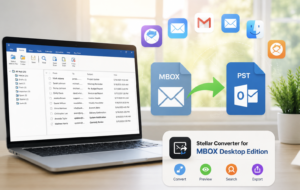
The desktop edition offers substantially more power than the online service. Installation requires only a few minutes. The software launches quickly and immediately presents a clean, organized interface. Unlike many enterprise migration utilities, Stellar avoids overwhelming users with technical jargon. Navigation remains intuitive while still providing advanced functionality for experienced administrators. The desktop version also removes the dependency on internet speed during conversions. Large mailbox archives process directly on the local computer, resulting in faster and more stable performance. Another significant advantage involves its broad compatibility. The software supports over seventeen MBOX-based email applications, making it suitable for organizations managing mailboxes from multiple platforms.
Beyond basic conversion, the desktop edition introduces several productivity features that save considerable time during large migration projects. These include automatic mailbox discovery, advanced filtering, selective email conversion, batch processing, and detailed mailbox previews before exporting to PST.
Advanced Batch Conversion Saves Hours of Manual Work
One of the biggest strengths of the desktop edition is its batch conversion capability. Instead of selecting mailbox files individually, users can simply choose an entire identity folder. The software automatically detects every supported MBOX file and processes them together. This feature is especially valuable for:
- IT administrators
- Corporate migration teams
- Managed service providers
- Educational institutions
- Businesses upgrading email platforms
Rather than repeating the same conversion process multiple times, administrators can migrate dozens of mailboxes in a single session. Consequently, productivity improves while reducing the chances of human error.
Built-In Mail Preview Adds Confidence Before Conversion
Before exporting any mailbox, Stellar Converter for MBOX allows users to preview every email. The interface resembles Microsoft Outlook, making navigation familiar for most users. The preview window displays:
- Folder hierarchy
- Email list
- Message body
- Attachments
- Email headers
- Sender information
- Recipient details
This feature helps users verify mailbox integrity before creating the final PST file.
Powerful Search and Smart Filtering Options
Large mailbox archives often contain thousands of emails. Fortunately, Stellar includes intelligent search capabilities that simplify mailbox management. The built-in Find File feature automatically locates MBOX, MBX, and related mailbox files stored on the computer. Additionally, users can filter emails before conversion. Common filtering options include:
Date range selection
Sender filtering
Recipient filtering
Excluding unwanted emails
Converting only required mailbox folders
These options reduce conversion time while creating smaller PST files. Businesses handling compliance requests will also appreciate selective email migration.
Flexible Export Options Beyond PST
Although PST remains the primary export format, the Technician edition offers additional flexibility. Users can export mailbox data into several formats, including:
- PST
- MSG
- EML
- HTML
- RTF
This flexibility makes the software useful for legal documentation, email archiving, and compliance reporting. Instead of relying on multiple utilities, users receive several export options within one application.
Direct Microsoft 365 and Exchange Migration
Many organizations now use Microsoft 365 instead of standalone Outlook installations. Recognizing this shift, Stellar includes direct export functionality in the Technician edition. Rather than converting emails into PST files and importing them later, administrators can migrate mailbox data directly into Microsoft 365 or Live Exchange mailboxes. This approach eliminates several manual steps. Consequently, migration projects become faster while reducing opportunities for data loss. For enterprise environments, this feature alone can justify upgrading to the Technician edition.
Excellent Handling of Large Mailbox Archives
Many email converters struggle when processing extremely large mailbox files. Stellar Converter for MBOX performs much better in this area. During testing, large archives remained stable throughout the conversion process. The software efficiently processed gigabytes of email data without freezing or crashing. Since conversion occurs locally, users avoid upload limitations commonly associated with online services. Available system memory and storage become the primary limitations instead of software restrictions. For businesses managing years of archived communications, this advantage becomes significant.
Additional Features That Make Stellar Stand Out
Several useful features receive less attention but greatly improve the user experience. These include:
- Automatic mailbox detection
- Support for damaged or inaccessible MBOX files
- Preservation of email metadata
- Unicode language support
- Automatic PST splitting for oversized files
- Existing PST update capability
- Clean and beginner-friendly interface
- Regular software updates
- Reliable customer support
- Detailed user documentation
Together, these enhancements create a smoother migration experience from start to finish.
Online Converter or Desktop Software: Which One Should You Choose?
Choosing between Stellar’s online converter and desktop software depends entirely on your migration requirements. The online converter works exceptionally well for users who have a single, relatively small mailbox and want a quick solution without installing software. It offers convenience, simplicity, and fast processing for occasional migrations. If your mailbox falls within the supported file size limits and you have a stable internet connection, the online service provides an efficient experience.
The desktop edition, however, is designed for users who require greater flexibility. It handles very large mailbox archives, supports batch conversions, offers advanced filtering tools, and performs all processing locally without depending on internet speed. Businesses, IT administrators, consultants, and organizations migrating multiple users will benefit far more from the desktop application.
If your goal involves professional email migration with maximum reliability, the desktop version clearly delivers the stronger overall value.
Pricing and Licensing Options
Stellar offers flexible pricing depending on your requirements. Premium online plans support much larger mailbox sizes while remaining affordable for individual users. The desktop software is available in different editions. The Corporate edition focuses on standard MBOX-to-PST conversion and includes the core features required by most professionals. The Technician edition expands functionality with direct Microsoft 365 export, Live Exchange migration, additional output formats, existing PST support, and enterprise-level migration capabilities.
Both desktop editions include free trial versions that allow users to preview converted mailboxes before purchasing a license. Additionally, Stellar provides a money-back guarantee, giving users greater confidence in their investment.
Pros and Cons
Pros
- Simple interface suitable for beginners.
- Highly accurate email conversion.
- Preserves folder structure perfectly.
- Maintains attachments and email formatting.
- Supports over seventeen MBOX email clients.
- Fast conversion performance.
- Batch processing saves considerable time.
- Advanced email filtering options.
- Direct Microsoft 365 migration.
- Multiple export formats.
- Excellent compatibility with modern Outlook versions.
- Free trial available.
- Strong security during online conversion.
- Stable performance with large mailbox files.
- Helpful customer support resources.
Cons
- The free online version has a 100 MB file limit.
- Internet speed affects online conversion performance.
- Some enterprise features require the Technician edition.
- macOS users currently rely on the online service rather than a native desktop application.
- Very large conversions require adequate system resources.
Final Verdict
Stellar Converter for MBOX successfully delivers exactly what most users need, a reliable, accurate, and user-friendly solution for migrating MBOX mailboxes into Microsoft Outlook. Throughout testing, the software consistently preserved emails, attachments, folder structures, timestamps, and formatting without introducing noticeable errors. Its clean interface makes the conversion process approachable for beginners, while its advanced features satisfy the demands of IT professionals managing complex migration projects. The online converter is an excellent choice for users handling small, one-time conversions. It removes installation requirements and completes the task quickly from virtually any browser.
However, the desktop edition clearly stands out as the better long-term investment. Its support for large mailbox files, batch processing, advanced filtering, direct Microsoft 365 migration, and extensive export options make it suitable for both business and enterprise environments.
If you expect to migrate multiple mailboxes, preserve years of archived emails, or perform professional Outlook migrations, the desktop version offers exceptional value. Overall, Stellar Converter for MBOX remains one of the most dependable MBOX-to-PST conversion solutions available in 2026.
Frequently Asked Questions
1. Is Stellar Converter for MBOX safe to use?
Yes, it securely converts mailbox data while preserving email integrity.
2. Can I convert MBOX files without installing software?
Yes, the online converter works directly from your web browser.
3. Does the software preserve email attachments?
Yes, attachments remain intact after conversion.
4. Can I convert multiple MBOX files together?
Yes, the desktop version supports batch conversion.
5. Does Stellar support Thunderbird mailboxes?
Yes, Thunderbird is fully supported.
6. Can I migrate Apple Mail to Outlook?
Yes, Apple Mail MBOX files convert easily into PST.
7. Is Microsoft Outlook required?
No, Outlook is only needed when opening or importing the resulting PST.
8. Can I preview emails before conversion?
Yes, both versions provide mailbox preview capabilities.
9. Does the software support Google Takeout emails?
Yes, Google Takeout MBOX archives are fully supported.
10. Can I export directly to Microsoft 365?
Yes, the Technician edition supports direct Microsoft 365 migration.
11. Will my folder structure remain unchanged?
Yes, the original mailbox hierarchy is preserved.
12. Does Stellar support very large mailbox files?
Yes, the desktop version efficiently processes large mailbox archives.