

What Does It Really Mean to Save a YouTube Video
When people talk about wanting to save YouTube video files, they are usually referring to one of two very distinct technological processes. The first interpretation involves simply tapping a button inside the official application to make the content available for offline viewing within the platform’s ecosystem. The second meaning is a bit more technical, referring to actually downloading the video file directly to your device’s local storage drive. This second method allows you to transfer, share, or keep the file permanently, completely independent of the YouTube application itself. Understanding the difference between these two approaches is crucial because the rules, risks, and tools differ wildly between them.
The Legal Landscape of Downloading Online Content
The question of legality is the most critical aspect to address before you attempt to save YouTube video media to your device. Many users blindly download content without realizing that they might be violating stringent copyright laws or platform regulations. It is a common misconception that everything available on the internet is free for the taking, but that is simply not true. Content creators work incredibly hard to produce their videos, and copyright laws exist to protect their intellectual property from unauthorized distribution. Downloading a video without proper authorization is technically a violation of these protections, even if it is just for personal use.
Understanding YouTube’s Terms of Service
If you read YouTube’s official terms of service, you will find very specific language regarding the downloading of content. The platform explicitly states that users are only allowed to download videos if a designated download button or link is visibly provided on the page. This means that using any third-party website, application, or browser extension to save YouTube video content is strictly prohibited by their rules. Millions of people ignore these rules every day, but the fact that everyone does it does not make it legal. YouTube reserves the right to terminate your account or restrict your access if they catch you violating these terms.
The Creative Commons Exception You Should Know About
Fortunately, there is a perfectly legal loophole that allows you to download content without worrying about copyright strikes. Some creators choose to publish their work under a Creative Commons license, which explicitly grants the public permission to use and distribute the video. If you find a video with this specific license, you are completely free to save YouTube video files legally and even reuse them in your own projects. Similarly, videos that fall into the public domain are also free to be downloaded, shared, and modified without any legal repercussions. You can easily filter your search results to display only these types of videos to ensure you stay on the right side of the law.
Risks of Ignoring Official Guidelines
Choosing to ignore the official guidelines to save YouTube video content comes with a variety of hidden dangers that many users overlook. While massive lawsuits against individual users for personal downloads are incredibly rare, they are not entirely impossible. More commonly, users who violate the terms of service face account suspensions, losing access to their playlists, subscriptions, and uploaded content. Beyond the legal and account risks, the tools used to bypass YouTube’s restrictions are often breeding grounds for malicious software. By stepping outside the official ecosystem, you are exposing your personal data and devices to potential threats.
YouTube Premium The Gold Standard for Offline Viewing
If you want the absolute safest, most reliable, and completely legal method, YouTube Premium is the undisputed champion. This subscription service offers a built-in feature that allows you to save YouTube video content directly within the official app with a single tap. Not only do you get seamless offline viewing, but you also enjoy an ad-free experience that transforms how you consume content. Premium members also gain access to background play, allowing you to listen to videos while using other applications or locking their phones. The platform regularly updates its offline features, ensuring that your downloaded content remains high-quality and easily accessible.
Step by Step Guide to Using YouTube Premium
The process of using YouTube Premium to save YouTube video content is incredibly straightforward and user-friendly. First, locate the video you wish to watch later and tap on the download icon located just below the video player. Next, a prompt will appear asking you to select your preferred video quality, which you should choose based on your available storage space. Once you confirm your selection, the download will begin immediately, and a progress indicator will show you exactly when it is ready. You can access all of your saved content by navigating to the Library tab and selecting the Downloads section.
Third Party Tools and The Gray Area
Despite the convenience of YouTube Premium, many users still seek out third-party tools to save YouTube video files permanently. These alternative methods offer greater control, allowing users to convert videos into different formats or keep them forever without a recurring subscription fee. The internet is flooded with websites, desktop applications, and browser extensions that promise quick and easy downloads. However, it is crucial to understand that operating within this space means you are entering a legal and ethical gray area. These tools explicitly violate YouTube’s terms of service, even if they do not necessarily violate criminal copyright laws for personal use.
Online Downloaders Convenience Versus Danger
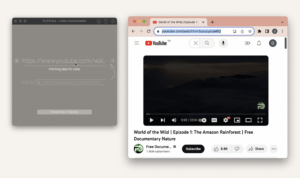
Web-based downloaders are arguably the most popular way people attempt to save YouTube video content without paying for a subscription. In the same way that someone might search for an Instagram Reels Downloader to grab short-form clips, users flock to these sites for their favorite video content. These sites require you to paste a URL, select a format, and click download, making the process seem deceptively simple. However, this convenience often masks severe dangers, as these websites are notoriously supported by aggressive advertising networks. You will frequently encounter pop-up ads, fake download buttons, and misleading links that can easily trick you into clicking the wrong thing.
Desktop Software for Power Users
For those who need to save YouTube video content in bulk or require high-resolution files, desktop software is often the preferred choice. Programs like 4K Video Downloader or VLC Media Player offer robust features that web tools simply cannot match. These applications allow you to download entire playlists, extract audio tracks, and even grab subtitles alongside your videos. While the software itself is usually safe to download from reputable developers, the act of using it still violates platform policies. Users must also be careful to download these programs directly from the official websites to avoid malicious clones.
Browser Extensions and Why They Fail
Browser extensions seem like a logical choice for anyone looking to save YouTube video files without leaving their current tab. In the past, the Chrome Web Store and Firefox Add-ons marketplace were filled with handy tools that placed a download button right on the video page. However, YouTube has aggressively updated its code over the years to actively block these extensions from functioning properly. As a result, many extensions that once worked flawlessly are now completely broken or severely unreliable. Furthermore, browser extensions demand extensive permissions to read your web activity, posing a significant privacy risk.
Saving Videos on Android Devices
Android users have a distinct advantage when it comes to managing offline content on their mobile devices. The official YouTube app makes it incredibly easy to save YouTube video files legally through the Premium subscription, functioning smoothly across all Android versions. For those looking beyond official channels, Android’s open ecosystem allows the installation of third-party apps from sources outside the Google Play Store. This means users can find specialized downloader apps, though they must be extremely careful about the security of these external files. Sideloading applications increases the risk of installing malware, so a reliable mobile antivirus app is highly recommended.
Saving Videos on iOS Devices
Apple’s iOS ecosystem is notoriously strict, which significantly impacts how you can save YouTube video content on an iPhone or iPad. The official YouTube app, coupled with a Premium subscription, is undeniably the most seamless and secure method available for iOS users. Apple’s sandboxed environment makes it incredibly difficult for third-party downloading apps to exist on the App Store. While there are a few web-based workarounds accessible through Safari, they are often clunky, unreliable, and plagued by aggressive pop-ups. Some users resort to using a computer to download the video and then transferring it via iTunes or Finder, but this is incredibly time-consuming.
Choosing the Right Video Format for Your Needs
When you decide to save YouTube video files using third-party tools, you will be presented with a variety of format options. The universally accepted champion is MP4, which offers the best balance between video quality and file size while being compatible with almost every device. Other formats, such as WebM or MKV, are also available and offer excellent quality, but they may not play natively on older smartphones or standard televisions. If you only care about the audio, choosing MP3 or AAC format will save you a massive amount of storage space. Selecting the right format ensures that your offline viewing experience is smooth and free of frustrating playback errors.
Balancing Quality and Storage Space
The resolution you choose when you save YouTube video files will directly impact both your viewing experience and your device’s storage capacity. High-definition resolutions like 1080p and 4K look absolutely stunning, but they will consume your available storage space at an alarming rate. Conversely, lower resolutions like 480p or 720p take up significantly less room, making them ideal for mobile devices with limited memory. If you are watching a video on a small phone screen, you likely will not even notice the difference between 720p and 1080p. However, if you are casting the video to a large television, opting for the highest resolution available is definitely the way to go.
Troubleshooting Common Download Issues
Even when you use the best methods to save YouTube video content, you will inevitably run into technical hiccups from time to time. One of the most common issues is downloaded videos suddenly disappearing from your offline library without explanation. This usually happens because YouTube Premium downloads expire if your device does not connect to the internet at least once every 30 days. Another frequent problem is third-party downloaders failing to work because YouTube has updated its backend code to block them. Sometimes, the original creator deletes the video or makes it private, which will also cause your offline copy to become unplayable.
Essential Safety Tips to Protect Your Data
Protecting your personal data should be your top priority whenever you attempt to save YouTube video files from the internet. The digital landscape is filled with deceptive websites designed specifically to trick you into downloading harmful software. Never click on flashy banner ads that claim your device is infected or that you need to update your media player. Always ensure your operating system and antivirus software are fully updated before visiting any third-party downloading site. If a website asks you to download an executable file with a strange extension, close the tab immediately.
Weighing the Pros and Cons of Offline Videos
Deciding whether to save YouTube video content requires a careful consideration of the advantages and disadvantages involved. On the positive side, offline videos provide uninterrupted entertainment during flights, road trips, or areas with poor internet connectivity. They also save you from the frustration of constant buffering and allow you to manage your data usage more effectively. On the negative side, relying on unofficial methods introduces legal risks, security threats, and the constant hassle of broken tools. Even official methods require a recurring subscription fee and come with limitations on how long you can keep the files.
As technology continues to evolve, the ways we save YouTube video content will likely become more sophisticated and integrated. We are already seeing platforms experiment with smarter offline algorithms that predict what you want to watch before you even lose connectivity. The battle between platforms protecting their content and developers creating download tools will continue to rage on. However, the demand for offline access will never disappear, ensuring that official methods like Premium remain a priority for companies. Staying informed about these shifting trends will ensure you always have access to your favorite content without breaking a sweat.
Understanding Copyright Law Versus Platform Rules
It is vital to distinguish between actual copyright law and the rules set by a private platform like YouTube. Copyright law is enforced by governments and carries heavy penalties for severe violations like distributing pirated movies. Platform rules, on the other hand, are contractual agreements that dictate how you can use their specific service. Breaking a platform rule might get your account banned, but it might not result in a legal prosecution. However, violating copyright law while breaking a platform rule can lead to both account termination and legal action.
How to Identify a Fake Download Button
Navigating third-party download sites requires a keen eye for detail to avoid falling for their clever traps. Fake download buttons are designed to look exactly like genuine system notifications or browser alerts. They often use bright colors, large text, and urgent language like “Download Now” or “Click here to start.” Before clicking anything, hover your mouse over the button and look at the URL preview in the bottom corner of your browser. If the link points to an unrelated domain, an advertisement network, or a suspicious script, stay far away from it.
Maximizing Your Device Storage for Offline Content
Running out of storage is the fastest way to ruin your offline viewing experience. Before you save YouTube video files in bulk, take a few minutes to audit your device’s available space. Delete old screenshots, clear your app caches, and remove any apps you no longer use to free up room. Consider investing in a high-capacity microSD card if your device supports expandable storage. For iOS users, offloading unused apps is a fantastic way to reclaim space without losing your app data.
The Ethics of Supporting Content Creators
When you download a video without watching it on the platform, the creator loses out on potential ad revenue. Content creators rely on these views to fund their channels and continue producing the content you love. If you choose to save YouTube video content through unofficial means, consider supporting the creator in other ways. You can purchase their merchandise, join their Patreon, or simply share their channel with your friends. Respecting the ecosystem ensures that your favorite creators can keep making the videos you want to watch offline.
Conclusion: Mastering Your Offline Library
Learning how to save YouTube video content safely and legally is a valuable skill in our increasingly mobile world. The journey involves understanding the strict legal boundaries set by copyright laws and YouTube’s own terms of service. While the allure of free, third-party downloading tools is strong, the risks to your security and account standing are very real. Embracing YouTube Premium remains the gold standard for a worry-free, high-quality, and completely legal offline experience. By choosing the right formats, managing your storage wisely, and prioritizing your digital safety, you can build an impressive offline library.
Frequently Asked Questions
1. Can I save YouTube videos without paying a subscription fee?
Yes, if the creator enables the download button or the video is licensed under Creative Commons.
2. What is the absolute safest method for downloading videos?
YouTube Premium is the safest and most dependable method available.
3. Why do my downloaded videos keep disappearing?
They expire if your device does not connect to the internet every thirty days.
4. Which video format is the best for offline viewing?
MP4 is the most universally compatible and reliable format.
5. Can I watch saved videos on an airplane without internet?
Yes, as long as they were fully downloaded before you lost connectivity.
6. Is it legal to share videos I have downloaded with my friends?
Sharing copyrighted content downloaded via third-party tools is a direct violation of copyright law.