


Imagine your team suddenly loses access to its main office, server, or key employee. Could everyone still find the files they need to keep working? If the answer is uncertain, your project file system needs attention. Businesses create enormous amounts of information every day. Contracts, invoices, project plans, customer records, reports, meeting notes, designs, and financial documents all become part of daily operations. However, valuable information becomes far less useful when employees cannot locate it quickly.
That is why businesses should organize project files with continuity in mind. A well-designed system does more than keep folders tidy. It helps teams recover faster, maintain productivity, protect sensitive information, and transfer responsibilities smoothly.
Moreover, effective file organization reduces unnecessary duplication and prevents important documents from becoming dependent on one employee’s computer. Let’s explore practical ways to build a project file system that supports long-term business continuity.
Create a Logical Project Folder Structure
A strong folder structure gives every project a predictable home for its information. Employees should understand where files belong without asking another team member. Start with broad categories that match your workflow. For example, a project might include folders for planning, contracts, finance, communications, operations, deliverables, and archived materials. However, avoid creating too many nested folders. Excessive subfolders can make employees spend more time searching than working.
Instead, design the structure around how your team actually uses information. Keep frequently accessed materials easy to reach. Then place less frequently needed records in appropriate secondary folders.
You should also use the same structure across similar projects. Consistency becomes especially valuable when employees change teams or take responsibility for unfamiliar projects. Before implementing the structure, ask employees to test it. Their feedback can reveal confusing categories or unnecessary folder levels.
Develop a Professional File Naming Convention
A useful file name should explain what the document contains without requiring employees to open it. Include relevant details such as the project name, document type, date, client reference, and version number. For example, a name like Website-Launch-ProjectPlan-2026-08-v2 provides useful context immediately. Avoid vague names such as “final,” “new,” “latest,” or “updated.” Those labels become confusing when several versions appear.
Instead, establish clear naming rules for everyone. Decide how dates, versions, departments, and document categories should appear.
Additionally, keep naming conventions short enough for practical daily use. A complicated system may look professional but become inconsistent when employees find it inconvenient. Searchability should remain a major priority. Consistent names allow employees to find relevant documents faster through search tools.
Separate Active Documents From Archived Records
Mixing current documents with outdated material creates unnecessary confusion. Employees may accidentally use an old contract, report, presentation, or project plan. Create a clear separation between active and archived files. Current documents should remain easy to access, while historical materials should move into dedicated archive locations. Furthermore, define when a file becomes eligible for archiving. Project completion, contract renewal, reporting cycles, or major milestones can trigger an archive review.
Before moving files, verify that the correct final versions remain available. Remove unnecessary duplicates according to your organization’s retention rules.
A structured archive also helps employees understand project history. Therefore, archiving should preserve useful records rather than simply moving everything into an “old files” folder.
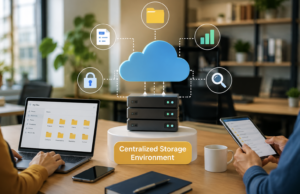
Use a Centralized Storage Environment
Project continuity becomes difficult when important information exists across personal laptops, USB drives, email inboxes, and unrelated storage accounts. A centralized storage environment provides a more dependable foundation. Authorized employees can access shared information without depending on one person’s device. Cloud storage can support distributed teams particularly well. It can provide synchronization, permission management, version history, and remote access.
However, businesses should evaluate storage providers carefully. Security controls, recovery options, administrative features, encryption, compliance requirements, and availability should influence the decision.
The objective is not simply to choose the largest storage service. Instead, select an environment that matches your operational and security requirements.
Create a Document Version Control Process
Version control prevents teams from working with outdated information. This becomes particularly important when several employees edit the same project materials. Establish a simple process for identifying approved versions. Employees should know which document represents the current working copy.
Where possible, use systems that automatically maintain version history. Such features allow authorized users to restore earlier versions after accidental changes.
Also, define who can approve important documents. Contracts, financial reports, technical specifications, and customer deliverables may require formal approval before distribution. Consequently, version control reduces the risk of someone accidentally sending an unfinished or outdated document.
Build a Strong Backup Strategy
File organization alone cannot protect business information from every disruption. Hardware failures, accidental deletion, ransomware, account compromise, and other incidents can still affect stored data. Therefore, businesses need reliable backups for critical project files. Backup copies should follow a defined schedule rather than depending on employees to remember them manually.
Organizations should also consider where backups are stored. Keeping every copy in the same environment can increase risk if that environment becomes unavailable.
More importantly, backups must be tested. A backup that cannot be restored when needed provides little practical protection. Schedule recovery tests periodically. Confirm that important files can be restored and that authorized employees understand the recovery process.
Define File Retention Rules
Not every project document needs to remain available forever. Keeping everything indefinitely can increase storage costs and create unnecessary security and compliance risks. Create retention rules based on document type and business requirements. Financial records, contracts, customer documents, internal communications, and temporary working files may require different treatment.
Employees should understand which files they must retain and which files can eventually be deleted. However, deletion should never happen casually. Important records may need to remain available for contractual, legal, regulatory, or operational reasons.
A documented retention policy creates consistency. It also prevents employees from making individual decisions about important business records.
Control Access Without Creating Bottlenecks
Business continuity requires the right balance between accessibility and security. Employees should access the information necessary for their responsibilities. At the same time, they should not automatically receive access to sensitive project materials. Use role-based permissions wherever practical. Different departments may need different levels of access. Review permissions when employees join projects, change roles, or leave the organization. Removing outdated access reduces security risks.
Furthermore, avoid making one employee the only person who can access critical project information. That creates a dangerous single point of failure.
At least one appropriate backup person should understand where essential documents are stored. This approach makes responsibility transfers much smoother.
Create a Project File Inventory
A file inventory gives businesses a high-level view of their important information. The inventory can identify major projects, storage locations, responsible teams, document owners, access requirements, and recovery priorities. For example, managers should know which files support customer operations and which documents are essential for financial processes.
This information becomes extremely valuable during an emergency. Employees can quickly identify which information deserves immediate recovery.
Moreover, the inventory helps organizations discover duplicate storage locations. Removing unnecessary duplicates can simplify administration and reduce confusion.
Document Your File Management Procedures
A good system becomes ineffective if only one employee understands how it works. Document the rules behind your project file organization. Explain folder structures, naming conventions, permissions, archiving, backups, retention, and recovery procedures. Keep this guidance somewhere authorized employees can access it. Avoid storing the only copy inside a project folder that might become unavailable.
New employees should receive this information during onboarding. Existing employees should also receive updates when procedures change.
Clear documentation reduces dependency on individual employees. Consequently, teams can maintain operations even when key personnel become unavailable.
Prepare for Employee Absence and Role Changes
Business continuity planning should account for people, not just technology. A project may depend heavily on one manager, designer, analyst, accountant, or administrator. If that person suddenly becomes unavailable, other employees may struggle to find essential information.
To prevent this problem, document important responsibilities and storage locations. Assign appropriate backup personnel for critical projects. Shared project spaces should contain essential records rather than personal email accounts or individual desktops.
Additionally, review ownership whenever responsibilities change. This simple practice prevents important information from becoming trapped behind outdated accounts.
Protect Sensitive Project Information
Project files may contain confidential business and customer information. Therefore, organization should always work alongside security. Use strong authentication and appropriate access controls. Where available, enable additional security features such as multifactor authentication.
Employees should also understand the dangers of downloading sensitive files onto unmanaged devices. Avoid sharing confidential documents through uncontrolled channels. Instead, use approved business systems with appropriate security settings.
Regular employee training can further reduce mistakes involving accidental sharing, weak passwords, and suspicious file requests.
Use Metadata and Search Tools Effectively
Modern file systems can organize more than folders and names. Metadata can add useful information to documents. Tags can identify departments, projects, document types, confidentiality levels, or workflow stages. These details can improve search and filtering.
For large organizations, metadata becomes especially useful because employees may need information from hundreds or thousands of documents.
However, metadata standards should remain consistent. Otherwise, different teams may use different tags for the same type of information. A simple metadata strategy can therefore improve discoverability without creating excessive administrative work.
Make Project Handoffs Easier
A project handoff should not require an employee to explain every file manually. Create a dedicated project overview containing essential information. Include major documents, current project status, important contacts, deadlines, open issues, and storage locations.
Linking related documents can make the transition even easier. This approach becomes valuable when employees leave, teams reorganize, or projects move between departments. Instead of starting from scratch, the incoming employee receives a clear roadmap.
Review and Clean Project Files Regularly
Even the best file system becomes messy without maintenance. Schedule periodic reviews to identify duplicates, outdated documents, misplaced files, inactive accounts, and incorrect permissions.
Project milestones provide useful opportunities for cleanup. Teams can review information after major phases instead of waiting until the project ends.
During each review, confirm that critical documents remain accessible. Also, verify that backups and recovery procedures still work. Regular maintenance prevents small organizational problems from becoming major continuity challenges.
Test Your Business Continuity File System
The final step is testing. Ask employees to locate critical documents without assistance. Test whether they can identify current versions and understand access procedures. You can also simulate situations such as employee absence or temporary system unavailability. These exercises expose weaknesses that normal operations may hide.
For example, a team might discover that only one employee knows the location of an essential contract. Another test might reveal that a backup exists but cannot be restored quickly. Testing transforms file organization from a theoretical policy into a practical continuity capability.
Final Thoughts
Learning how to organize project files is an essential part of modern business continuity. A clean folder system helps, but effective continuity requires much more. Businesses should combine logical structures, consistent naming, version control, centralized storage, backups, access management, retention rules, documentation, and regular testing. Most importantly, project information should never depend entirely on one person or device.
When teams can quickly locate trusted information, they can respond to disruptions with greater confidence. They can continue serving customers, transferring responsibilities, and completing critical work.
Ultimately, organized project files create more than a tidy digital workspace. They create a reliable information foundation that helps businesses remain prepared when unexpected challenges occur.
FAQs
1. Why is project file organization important for business continuity?
It helps employees quickly find reliable information when normal operations are disrupted.
2. What is the best way to organize project folders?
Use simple, consistent categories that match your team’s workflow and information needs.
3. How should businesses name project files?
Use consistent names containing useful details such as project, document type, date, and version.
4. Should old project files be deleted or archived?
Important historical records should usually be archived according to your retention requirements.
5. Why should businesses use centralized file storage?
Centralized storage reduces dependence on individual devices and makes authorized information easier to access.
6. How often should project files be reviewed?
Businesses should review files regularly, especially after major project milestones or organizational changes.
7. Why is version control important for project documents?
Version control helps employees identify the correct document and reduces mistakes caused by outdated files.
8. How can businesses prevent employees from becoming single points of failure?
Share critical information through authorized systems and assign backup personnel for important responsibilities.
9. Are cloud storage services useful for business continuity?
Yes, suitable cloud systems can provide remote access, synchronization, permissions, version history, and recovery features.
10. What should a project file inventory contain?
It should identify important files, storage locations, owners, access requirements, and recovery priorities.
11. How can businesses protect sensitive project files?
Use appropriate permissions, strong authentication, secure storage, employee training, and controlled sharing methods.
12. Why should companies test their backup systems?
Testing confirms that important files can actually be restored when an unexpected disruption occurs.
13. What is the biggest mistake in project file management?
Depending on one employee, device, or storage location for essential business information is a major risk.
14. How does documentation improve business continuity?
Documentation allows employees to understand file locations, access rules, recovery procedures, and ownership without relying on memory.
15. Can organized project files improve employee productivity?
Yes, employees spend less time searching for information and more time completing valuable project work.